🧢 Coach Setup Guide: Import Your Team from Sports Connect into GameChanger
Welcome to the Season!
Let’s get your team up and running on GameChanger Team Manager—your go-to app for schedules, communication, and live updates.
✅ Step-by-Step Instructions
📱 1. Download the App
Scan the QR code or search for GameChanger Team Manager in the App Store or Google Play.
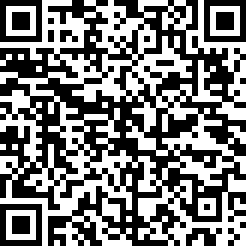 QR Code Here https://gc.com/download
🔐 2. Log In Using Your Sports Connect Email
Use the same email address you registered with on Sports Connect. This links your coach profile to your team.
📥 3. Import Your Team
- Tap “Create Team”
- Select “Import Sports Connect Team”
- Choose your team from the list
- Confirm the import to bring in your roster and schedule
🗓️ 4. Review & Update
- Check your team name, division, and schedule
- Add practices, events, or assistant coaches
- Post announcements or upload documents
📨 5. Invite Families
- Tap “Add Members”
- Send invites via email or text
- Parents join as Family Members or Fans
💬 6. Start Communicating
✅ Chat with families
✅ Share live scores and video
✅ Post updates and reminders
✅ Keep everyone informed and engaged
🛠️ Troubleshooting Tips
If your team doesn’t appear:
- Confirm you’re using the same Sports Connect email
- Check with your league admin to ensure your team is linked properly