Thank you for volunteering with the Warrington–Warwick Softball Organization (WWSO)! All volunteers must register through our website so we can properly assign roles and complete required background checks.
Please follow the steps below to sign up as a volunteer if you did not do so during inital registration .
Step-by-Step Volunteer Registration
Step 1
Sign in to your WWSO account.
Step 2
Click on Volunteer in the main menu.
Step 3
Select Find Volunteer Roles.
Step 4
You will be taken to the Programs Page. Click View Divisions for the current Spring Season.
Step 5
Select the division(s) you will be volunteering in.
Step 6
After selecting your divisions, click View Selected Opportunities.
Step 7 – Select Your Volunteer Role
Click the Select button next to the volunteer position you would like to sign up for.
If you already selected a volunteer role during registration, you should see that you are already assigned to that role.
You can also use this section to sign up another parent or family member to volunteer.
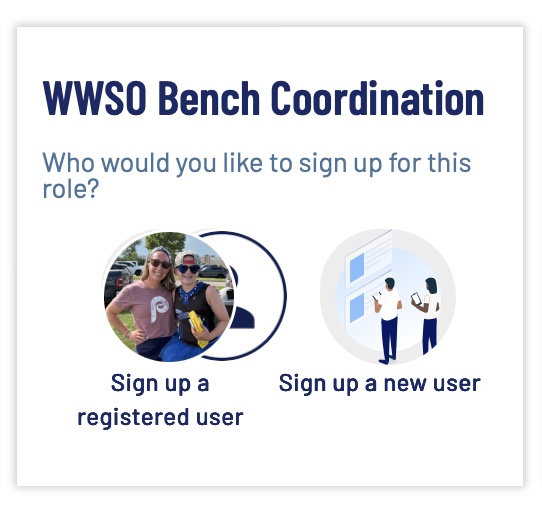
Option 1: Sign Up a Registered User
Use this option if the person is already listed in your Sports Connect account.
Click Sign Up a Registered User
A list of users on your account will appear
Select the correct user to assign them to the volunteer role
Option 2: Sign Up a New User
Use this option if the volunteer is not currently listed on your account.
Click Sign Up a New User
Enter the required information to create their profile.
Step 8 – Complete the Volunteer Form
Click Continue to access the volunteer information form.
Once completed, click Continue and you will be returned to your main account screen.
Step 9 – Background Check
After completing the steps above:
Please complete the background check as soon as possible so you can be approved to volunteer.
If you have any questions, please contact the WWSO Board ([email protected]) for assistance.